1). Go to “Exam Results” under “SM Examination”.
2). Here, you can add and view exam results.

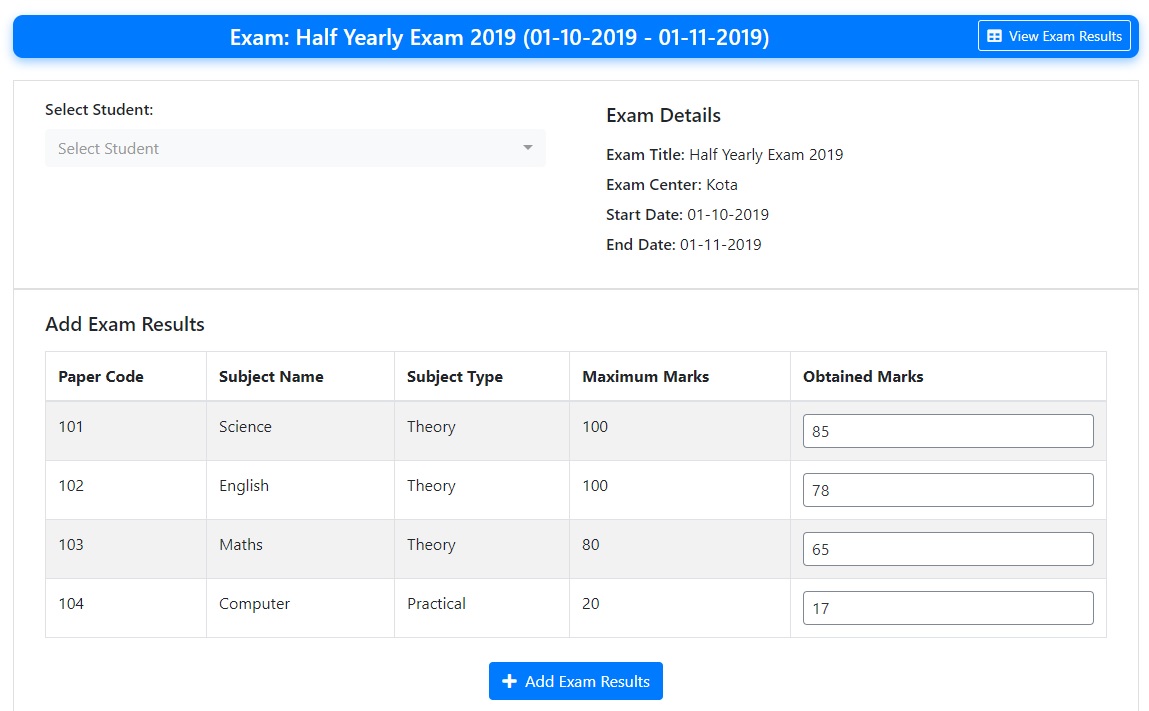
3). Select student, fill obtained marks for each subject and click “Add Exam Results”.
4). Students can view exam results once the exam results have been published.


