1). Go to “Exams” under “SM Examination”.
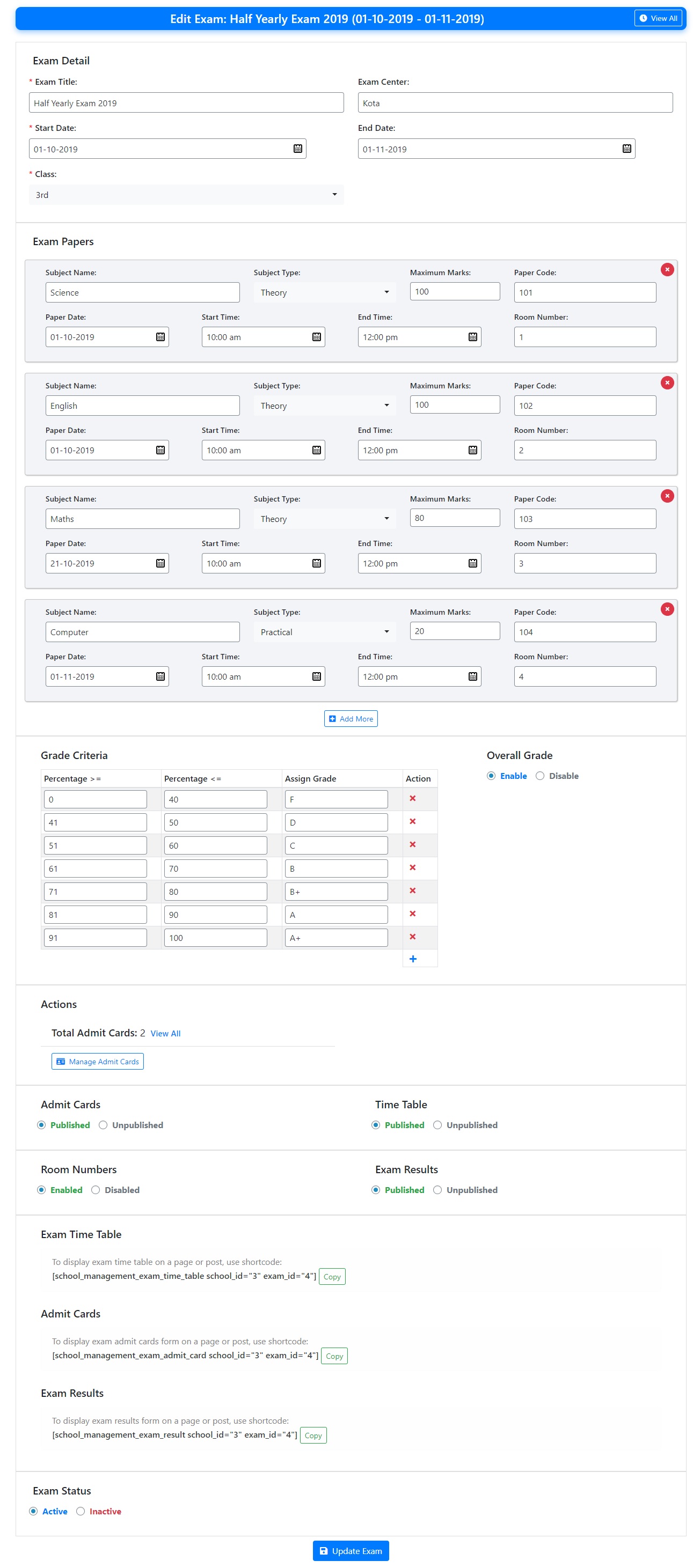
2). Here, you can add exam, exam center, exam papers and timings, grade criteria, exam date and room numbers.
3). Using these information, the exam time table is generated which you can publish.
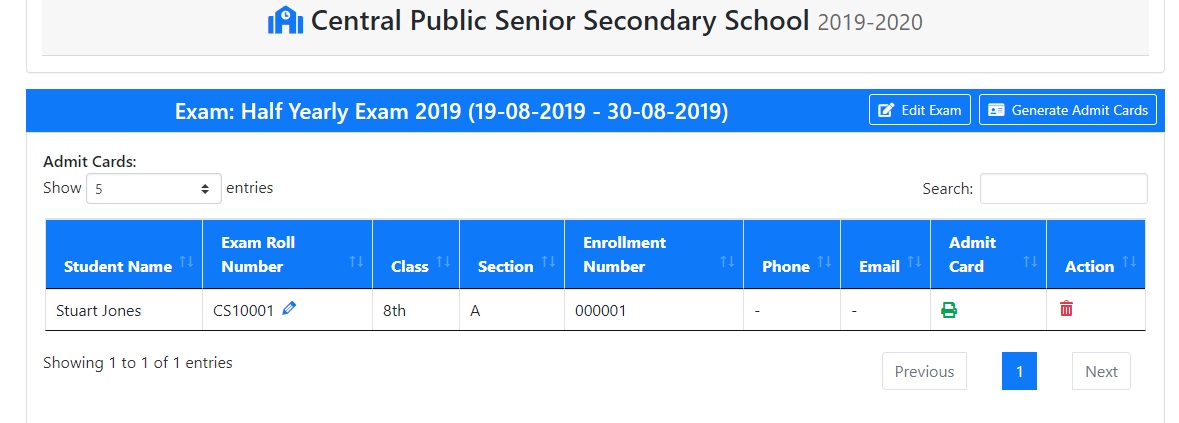
4). You can also generate and publish admit cards for students. When generating admit cards, you need to create series of roll numbers for exam. You can also specify roll number prefix.
5). Students can download their admit cards from dashboard.