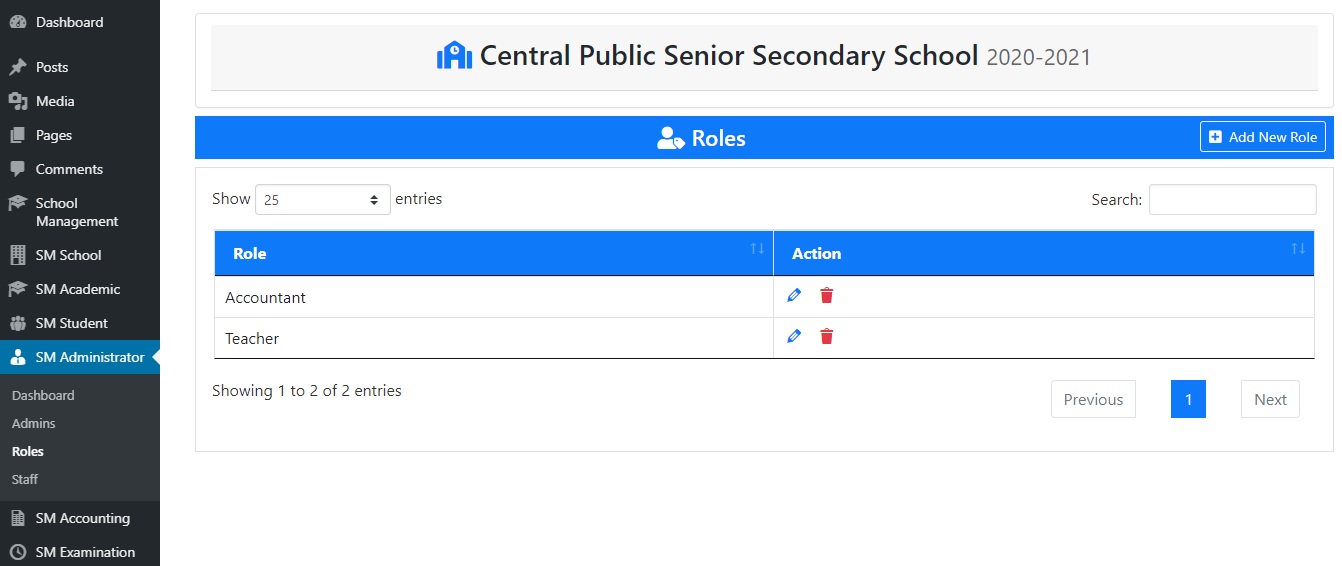
1). Go to “Roles” under “SM Administrator”.
2). Click on “Add New Role”.
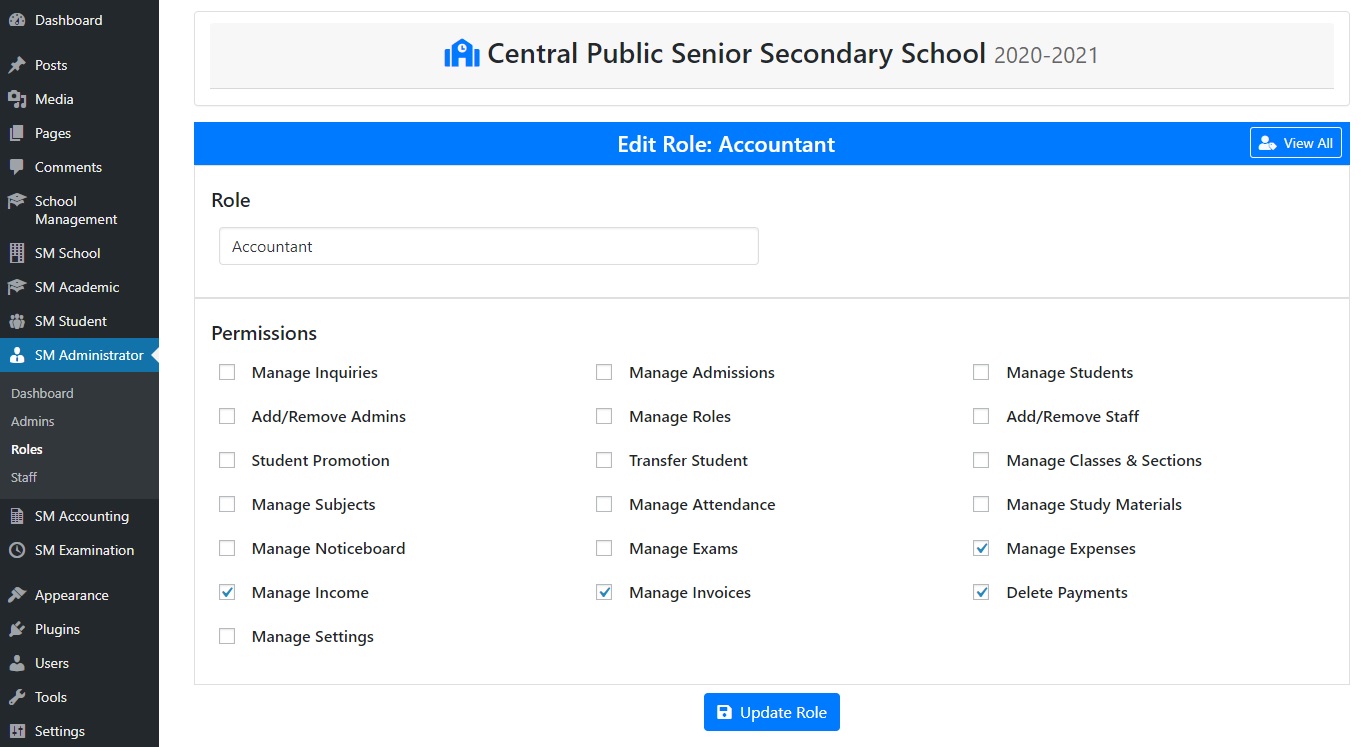
3). Here, you can specify the role name and assign permissions to this role.
< 1 min read
1). Go to “Roles” under “SM Administrator”.
2). Click on “Add New Role”.
3). Here, you can specify the role name and assign permissions to this role.
Powered by BetterDocs


