1). Go to “All Books” under “SM Library”.
2). Here, you can add and manage library books.
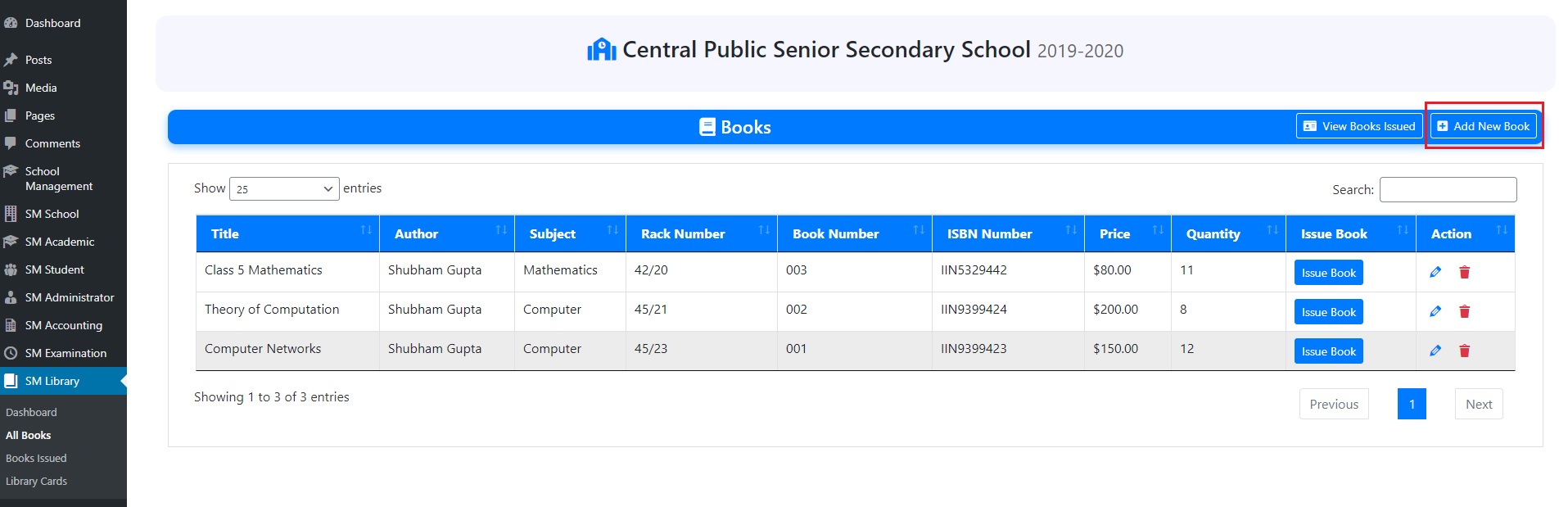
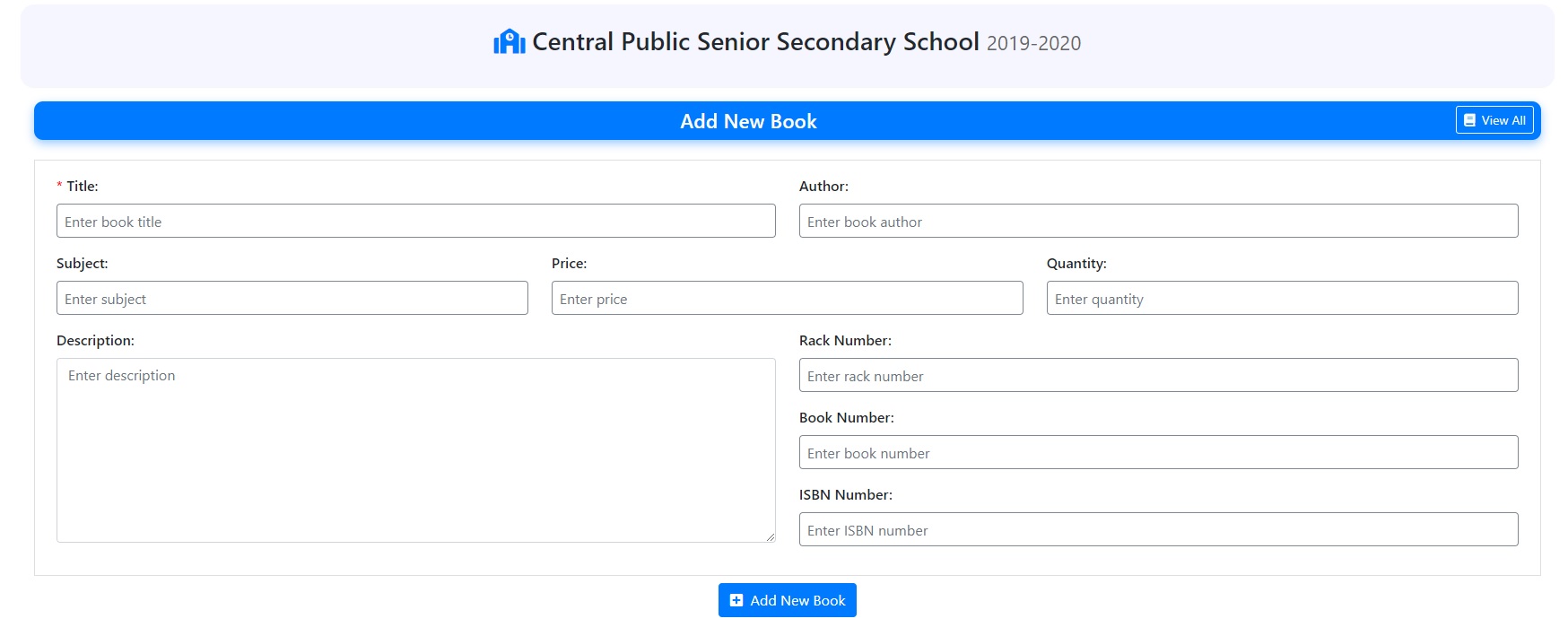
3). To add a new book, click on “Add New Book” and fill the title, author, ISBN etc.
< 1 min read
1). Go to “All Books” under “SM Library”.
2). Here, you can add and manage library books.
3). To add a new book, click on “Add New Book” and fill the title, author, ISBN etc.
Powered by BetterDocs


