Add Class Sections #
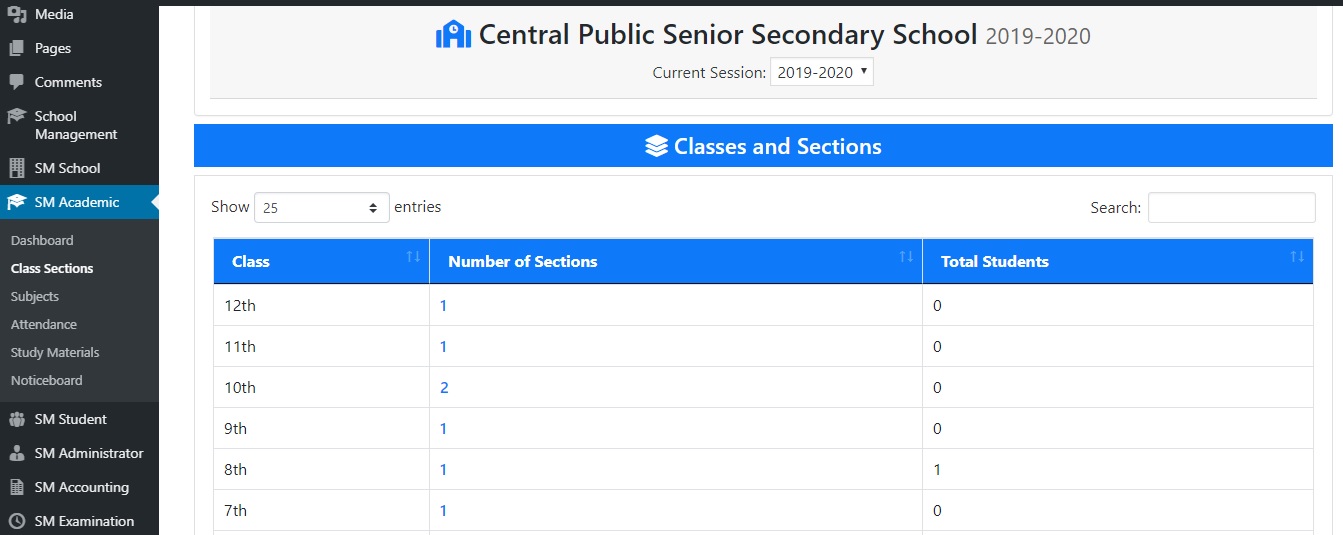
1). Go to “Class Sections” under “SM Academic”.
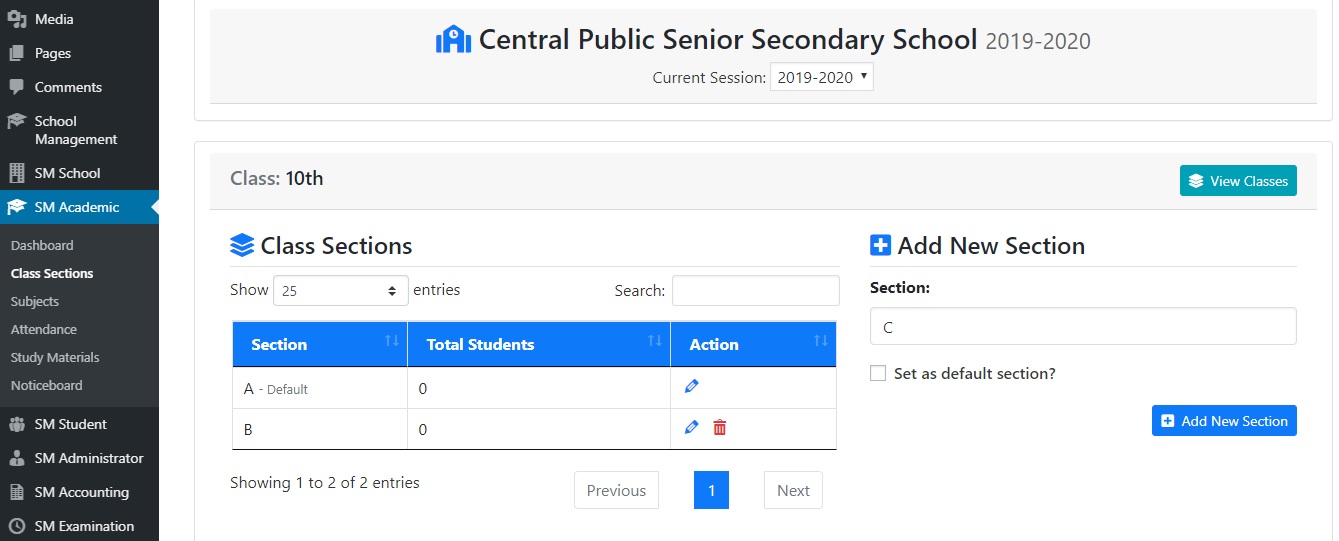
3). Here, you can click on number of section and add new section for the class or change the default section.
< 1 min read
1). Go to “Class Sections” under “SM Academic”.
3). Here, you can click on number of section and add new section for the class or change the default section.
Powered by BetterDocs


